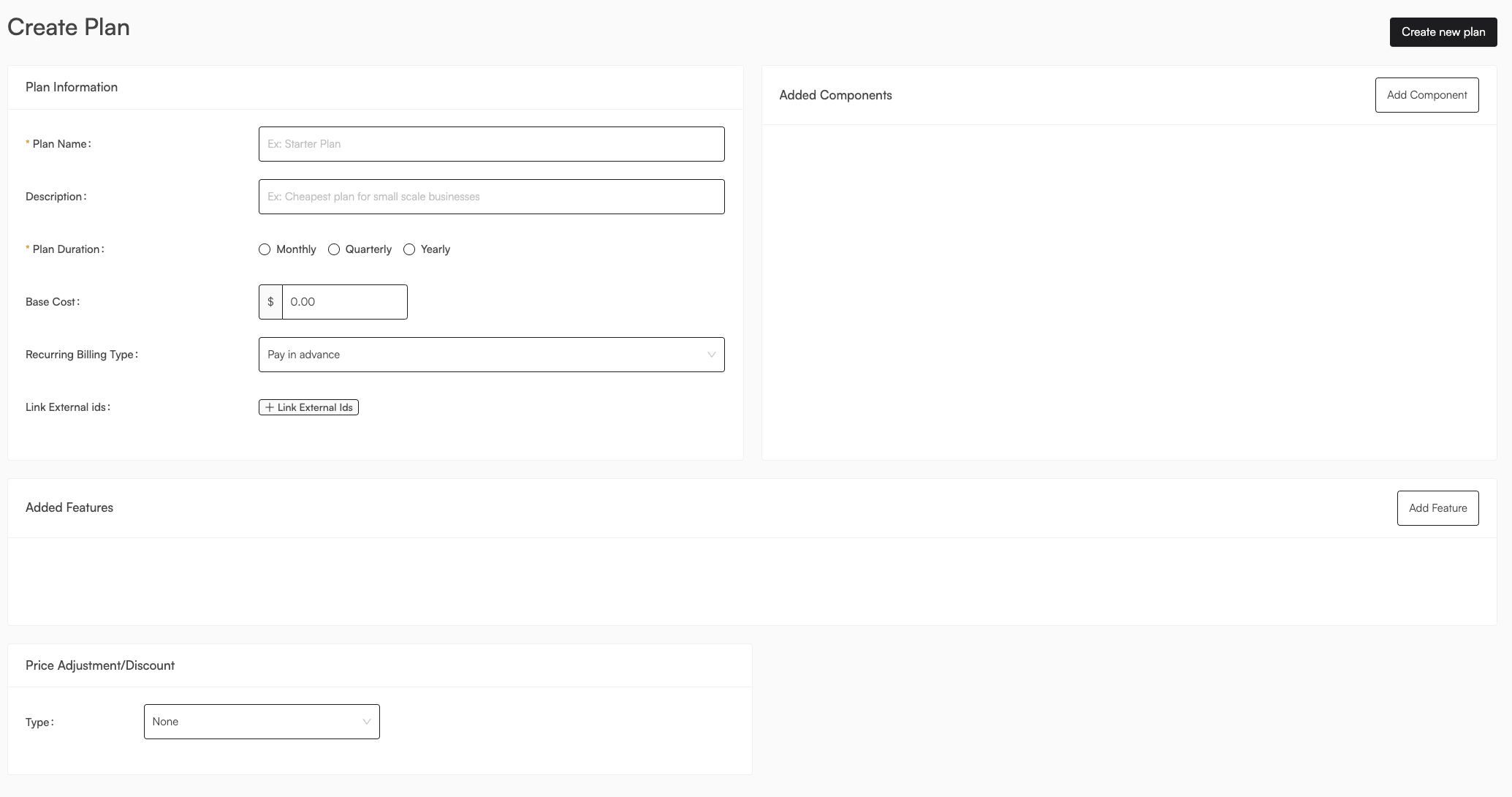
Plan Information
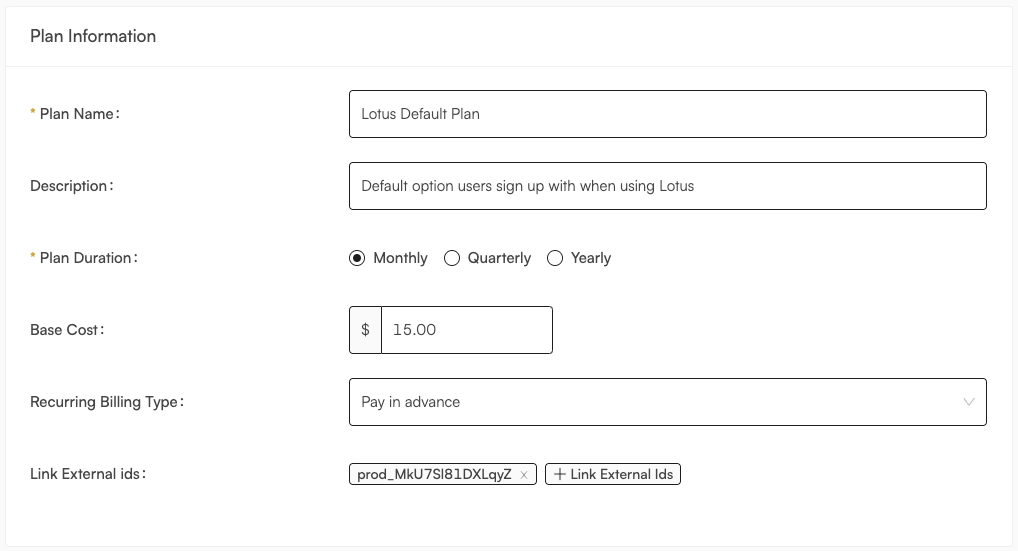
prod_MkU7Sl81DXLqyZ in Stripe, you could link them together by adding it to
the Link External ids field. No subscriptions will be migrated until you
instruct us to do so, but this will allow you to keep track of which plans are
linked to which external ids.
Version Information
One of Lotus’ core concepts is plan versioning, the ability to track plan changes over time as you iterate on pricing. Here your first option is Invoice Time, which means when should the invoice be issued. We expose the option to define this in two ways:- Aligned with a date in the calendar, 1st of the month etc.
- On the day that the subscription was originally created, i.e the 4th of every month if that specific subscription was created on the 4th
Discounts and Price Adjustments
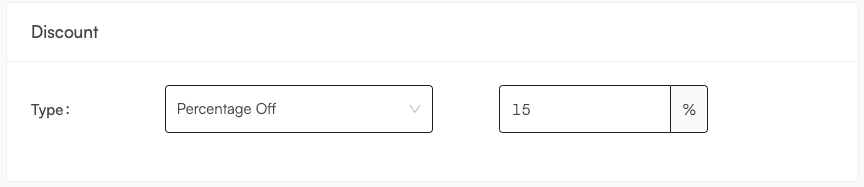
- Percentage: This is a percentage discount or surcharge that will be applied to the total price of the plan. For example, if you want to give a 10% off discount to all customers on this plan, you would specify a percentage of 10.
- Fixed Amount: This is a flat discount or surcharge that will be applied to the total price of the plan. For example, if you want to give a $200 discount to all customers on this plan, you would specify a flat amount of 200. Keep in mind flat discounts will never give credit to a customer, and will simply make the invoice 0.
Charges & Features
Recurring Charges
A recurring charge is a non-usage-based, flat subscription fee. Usually a plan will include a base fee that can be mapped as a recurring charge.Usage Components
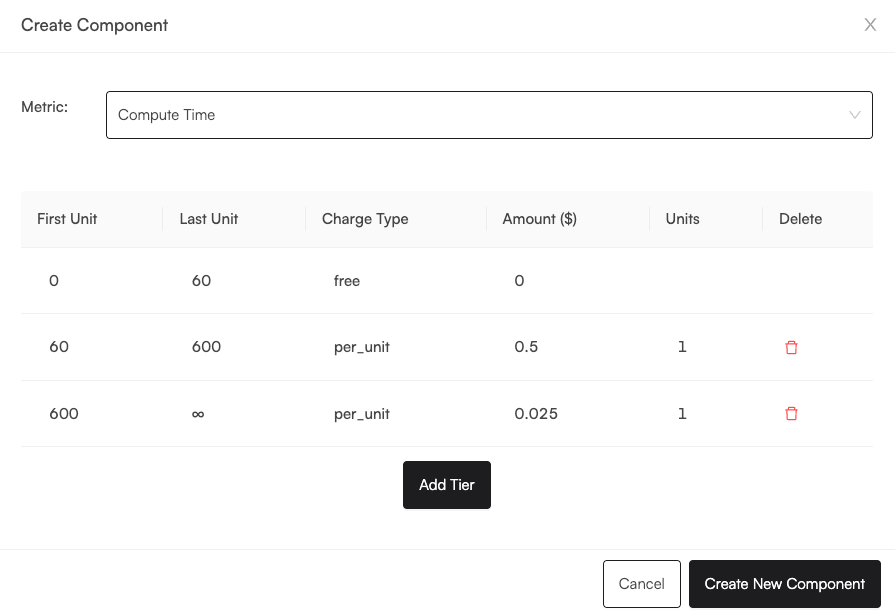
Usage components are simply charges/line items that are dependent on a metric. These are configured through. This format can represent per-unit pricing, packaged pricing, traditional tiered pricing, stair-step pricing, or free pricing. Even bps pricing by changing the rounding_type to no_roundig. Plan components associate metrics to your given plan, and include the price you want to charge for them. Components are configured through tiers. This format can represent per-unit pricing, packaged pricing, traditional tiered pricing, stair-step pricing, or free pricing. Each component can optionally have a separate invoicing interval from the general plan duration. A use case for this would be an annual plan that bills usage overages monthly. The component also has a reset interval which determines how often the usage is reset back to 0 for the component. These are both found under additional settings and are optional (both default to the plan duration).Pre-paying For Usage Components
An important use case is for pre-paying usage, either in an enterprise deal or via a self-serve pricing model like Figma where you pre-pay for seats. This is made possible under the optional pre-paid tab, where you can specify if the component is pre-paid or not and optionally add an initial amount of usage to the plan by default. In addition, since you can set ranges, you can also dictate whether the metric has a limit that the user cannot exceed, which can then be checked in your frontend Each tier can have a different type:- flat
- per_unit
- free
- no_rounding
- round_up
- round_down
- round_nearest (rounds up if 0.49)
Tier Ranges
For gauge metrics, tier ranges are defined as [start_1,end_1), (start_2, end_2], where the end is not inclusive. For discrete metrics (that follow integers i.e the Count aggregation type), tier ranges can be at most 1 integer apart from each other. An example of this would be a tier that holds the range 0 -> 3 which will include 0, 1, 2, and 3. Then the next range can be 4 -> 100 which will start at 4 and go to 100.Features