> ## Documentation Index
> Fetch the complete documentation index at: https://docs.uselotus.io/llms.txt
> Use this file to discover all available pages before exploring further.
# Alerts
Lotus' Alerts feature provides you with real-time usage monitoring for specific components of a plan. With it, you can set usage alerts that notify you when a customer's usage passes a certain threshold, which triggers a webhook. This allows you to stay informed and take action quickly when necessary.
## Setting Alerts
Setting alerts is easy. Simply navigate to the "Alerts" tab on a plan's details page. From there, you can view any existing alerts that are associated with a specific plan component.
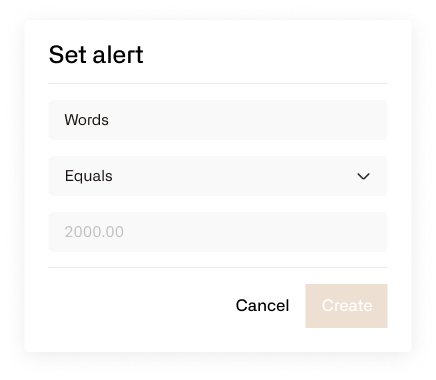
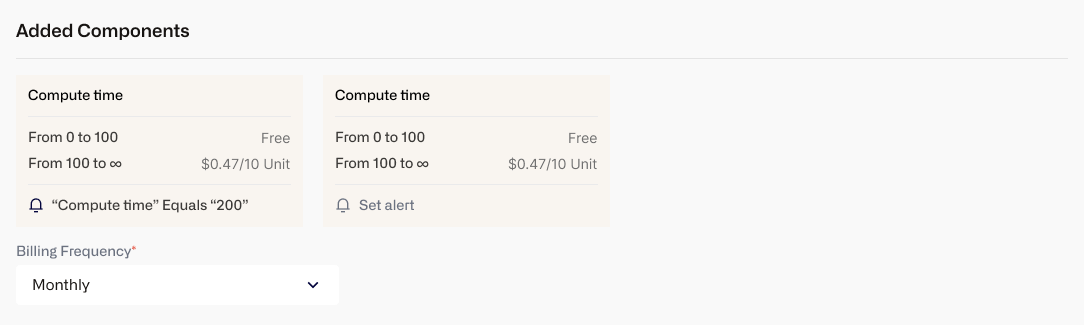 To set an alert, click on the "Set Alert" button next to the corresponding component.
 ## Managing Webhooks
Alerts trigger webhooks that deliver the usage information to a designated destination. You can control where the webhooks get delivered to from the ["Webhooks"](/webhooks/webhooks) screen.
## Future Developments
While alerts currently only support Counter type metrics, we are working on expanding the feature to support alerts for other types of metrics. Additionally, we want to support a wider variety of alerts such as spend, remaining credit balance, and plan duration remaining.
## Managing Webhooks
Alerts trigger webhooks that deliver the usage information to a designated destination. You can control where the webhooks get delivered to from the ["Webhooks"](/webhooks/webhooks) screen.
## Future Developments
While alerts currently only support Counter type metrics, we are working on expanding the feature to support alerts for other types of metrics. Additionally, we want to support a wider variety of alerts such as spend, remaining credit balance, and plan duration remaining.